Salesforce in Claude: one conversation, one checkpoint
Anthropic’s beta puts sales context and recurring work into Claude while keeping Salesforce authoritative and seller approval in the loop.

Sales work rarely begins and ends in one system. Account history sits in the CRM; call context, messages and follow-up work arrive elsewhere; the administrative thread can become the work around the work.
Anthropic says Salesforce in Claude brings accounts, opportunities and pipeline into a conversational workspace with 37 pre-built sales skills. The claim is narrower than autonomous selling: Claude can help assemble and prepare work, while Salesforce remains the record.
The admin gap
The value proposition is a conversation that gathers context before the seller has to stitch it together.

The familiar sales-day pattern is fragmented: a record review before a call, notes after it, messages in Slack, then the update that keeps the pipeline usable. Each task is manageable; together, they create a constant context-switching burden.
Anthropic’s framing is that the seller can ask for the outcome instead. That makes the product interesting as a work surface, provided the underlying system and its controls remain intact.
What sellers can ask for
Anthropic groups recurring sales tasks into a conversational flow from preparation through forecast work.

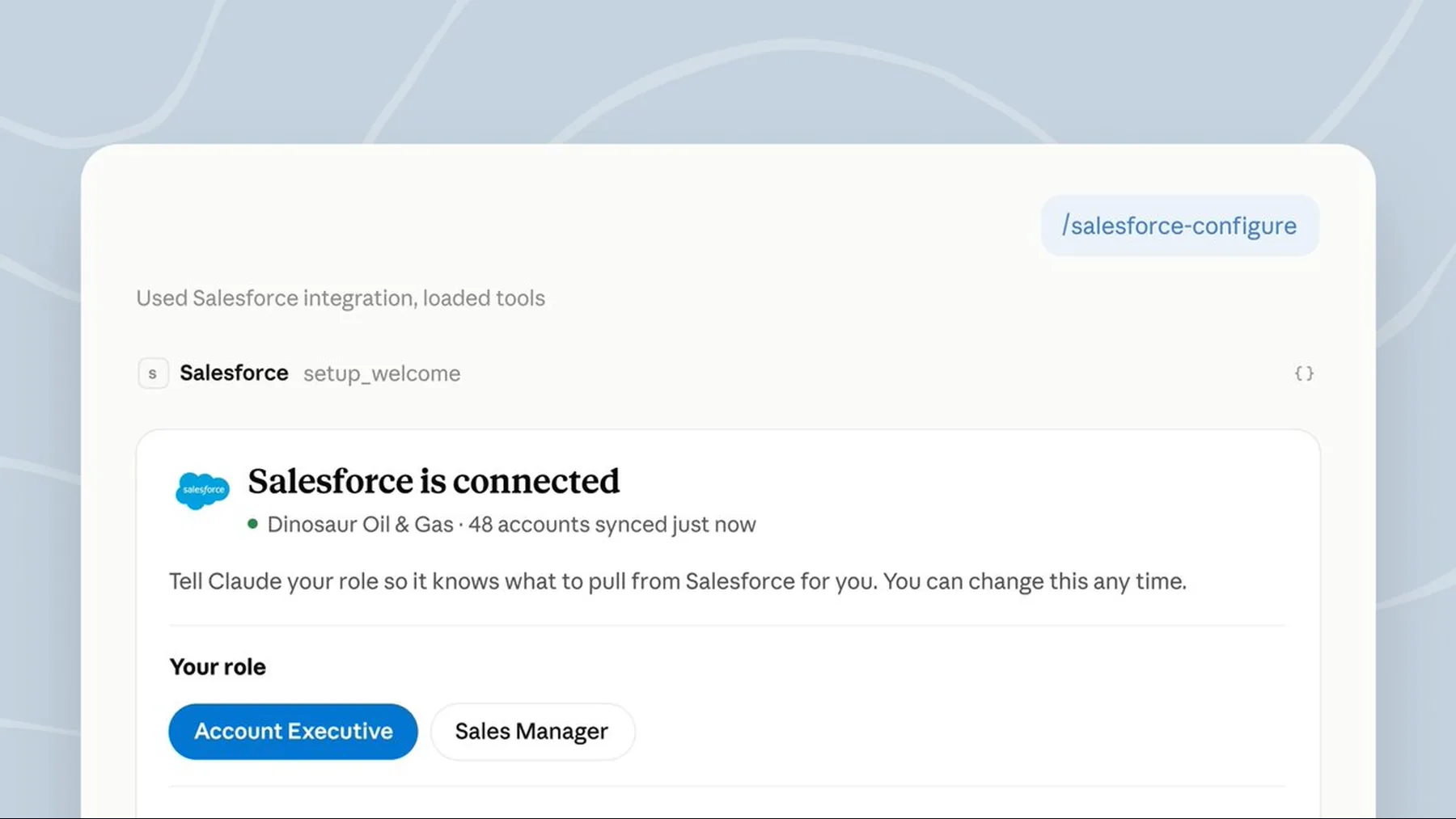
The 37-skills figure is Anthropic’s published product claim, not a measure of how often each skill will be used or what it will deliver in every team. Still, the task list is concrete: account research, call preparation, pipeline review and CRM updates are all named.
The practical appeal is sequence. We can move from briefing to a deal review, then to follow-up or forecast work without rebuilding the context at every hand-off.
The product claim
The core promise is a Salesforce-connected Claude workspace operating within existing permissions.
The announcement makes two linked claims. First, the plugin brings sales context into Claude. Second, it does so under the seller’s existing Salesforce permissions. The second claim defines the first: the conversation is not presented as an unrestricted route around the CRM.
Anthropic also says the plugin includes 37 skills for daily account-executive work. That establishes scope, but it does not independently verify adoption, productivity or business outcomes.
“Salesforce remains as the system of record. Sellers sign in with their Salesforce credentials and Claude reads only what their permissions allow. By default, Claude asks the seller to approve each proposed change before it’s written.”
Anthropic, Salesforce in Claude
What the proof shows
The source material supports a beta workflow with defined boundaries, not a claim of autonomous CRM operation.
The available evidence supports a product announcement, a named set of sales tasks and a stated permission model. It does not prove that every organisation will see the same outcomes, nor that Claude can operate Salesforce without a person approving proposed changes.
That distinction matters because the strongest part of the release is not simply the conversational interface. It is the boundary around what that interface may read, prepare and write.
Permission in, approval out
Claude can prepare work from allowed context; the seller remains the checkpoint before a proposed change is written.

Anthropic describes the connector as working through the seller’s Salesforce credentials. That means the useful question is not whether Claude has a broad view of the business, but what the seller is already permitted to see.
When a change is proposed, the default is approval before it is written. This is a human checkpoint built into the product story, not a limitation to be edited out of it.
Existing access
Claude reads only the Salesforce data the signed-in seller is permitted to see.
Prepared work
The workspace can assemble context and propose actions from the connected sales workflow.
Seller approval
By default, a seller approves each proposed Salesforce change before it is written.
A seller’s day, reframed
The release points to a connected sequence of preparation, judgement, follow-up and controlled updates.

Brief
Bring permitted account, opportunity and connected-work context into one preparation flow.
Decide
Use the assembled context for call preparation, deal review, pipeline or forecast work.
Approve
Review any proposed Salesforce update before it becomes part of the system of record.
For a seller, the change is most legible at the seams of the day. Preparation can begin with the account history already in view; follow-up can end with a proposed update rather than another manual reconstruction of the call.
We should treat that as a credible beta workflow, not a promise that the administrative load disappears. The access model, beta approval and seller-controlled write step remain part of the experience.
The guardrail is the feature
Claude becomes the conversational work surface precisely because Salesforce stays authoritative and the seller retains control of writes.
The useful innovation is not a CRM that acts alone. It is a conversation that can prepare the work while the system of record and the human checkpoint stay in place.
Synthesis from Anthropic’s Salesforce in Claude announcement
There is a temptation to read every sales-assistant release as a race toward autonomy. Anthropic’s own description points somewhere more useful: a conversational layer that helps us work through sales context without dissolving permission boundaries or approval.
That is why the guardrail belongs at the centre of the story. Salesforce is still where the record lives; Claude is the place where the seller can ask, prepare, review and decide.
Prepare a permission-bound account brief
Act as a sales operations assistant. Using only the account, opportunity, recent call notes, email and Slack context I provide, prepare a concise account brief for a seller. Include: 1) current opportunity status, 2) three risks with the supporting evidence, 3) recommended next steps, and 4) proposed Salesforce updates in a separate section. Do not invent facts, access missing data or write any changes; mark every proposed update for seller approval.Ready to copy
Watch the controls closely
The next meaningful evidence will be how beta access, administrator connection, permission boundaries and seller approval behave in real sales workflows. The capability matters; the controls determine whether it is usable.
Try the promptWhat to watch next
- Beta access
- Administrator connection
- Permission boundaries
- Seller approval