Perplexity Computer brings the whole task onto our Mac
We can turn private files into finished drafts locally, with cloud help available when we authorise it.
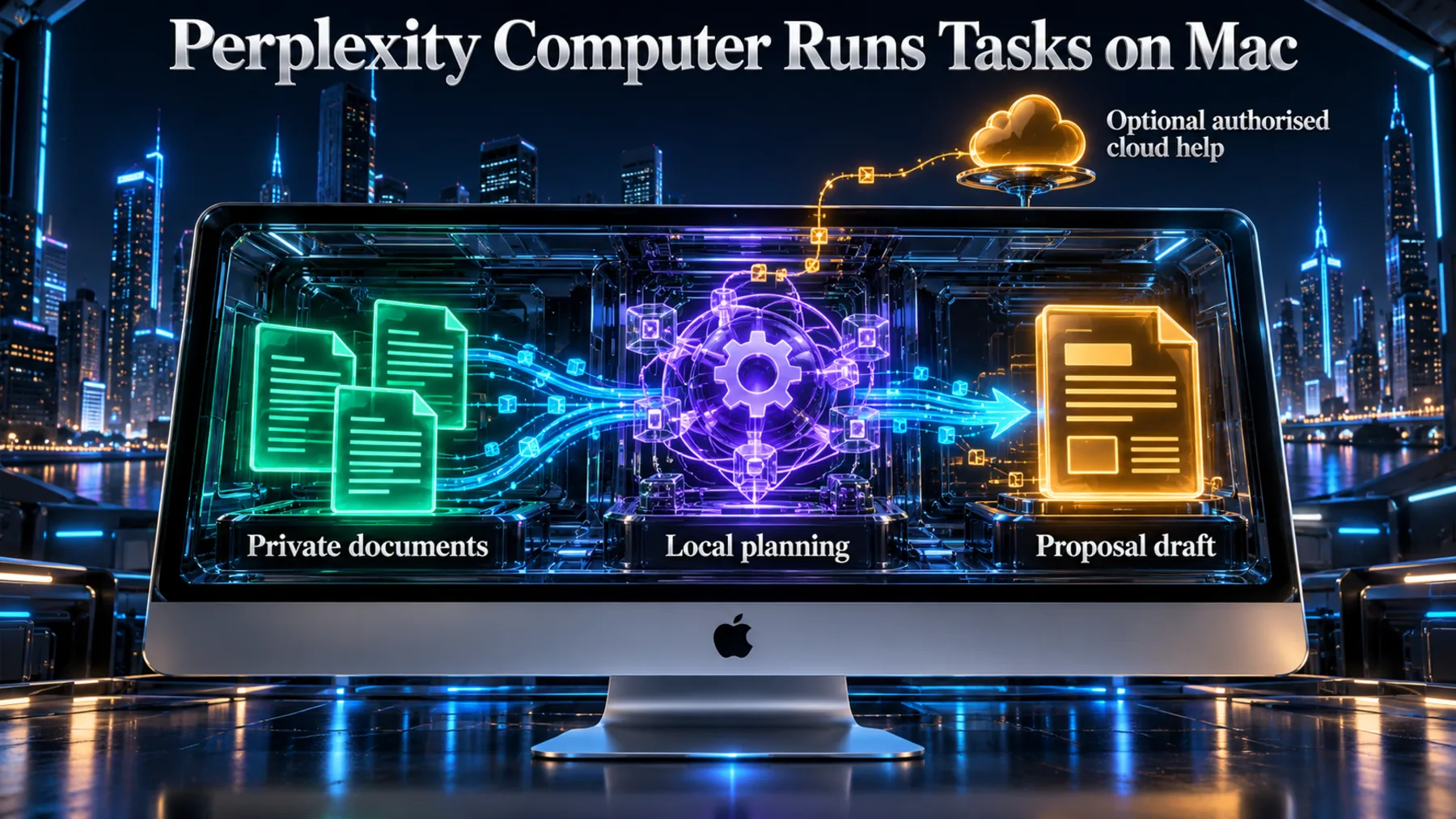
A client proposal begins with information we already hold: confidential discovery notes, a brief and our internal rates. Perplexity Computer can work from those local inputs through to the finished drafts, keeping the model and task execution on the Mac. Its [Mac announcement](https://www.perplexity.ai/hub/blog/perplexity-computer-now-runs-fully-local-on-mac) makes a useful distinction: local file access and local task execution are different things.
Our private files become work we can review
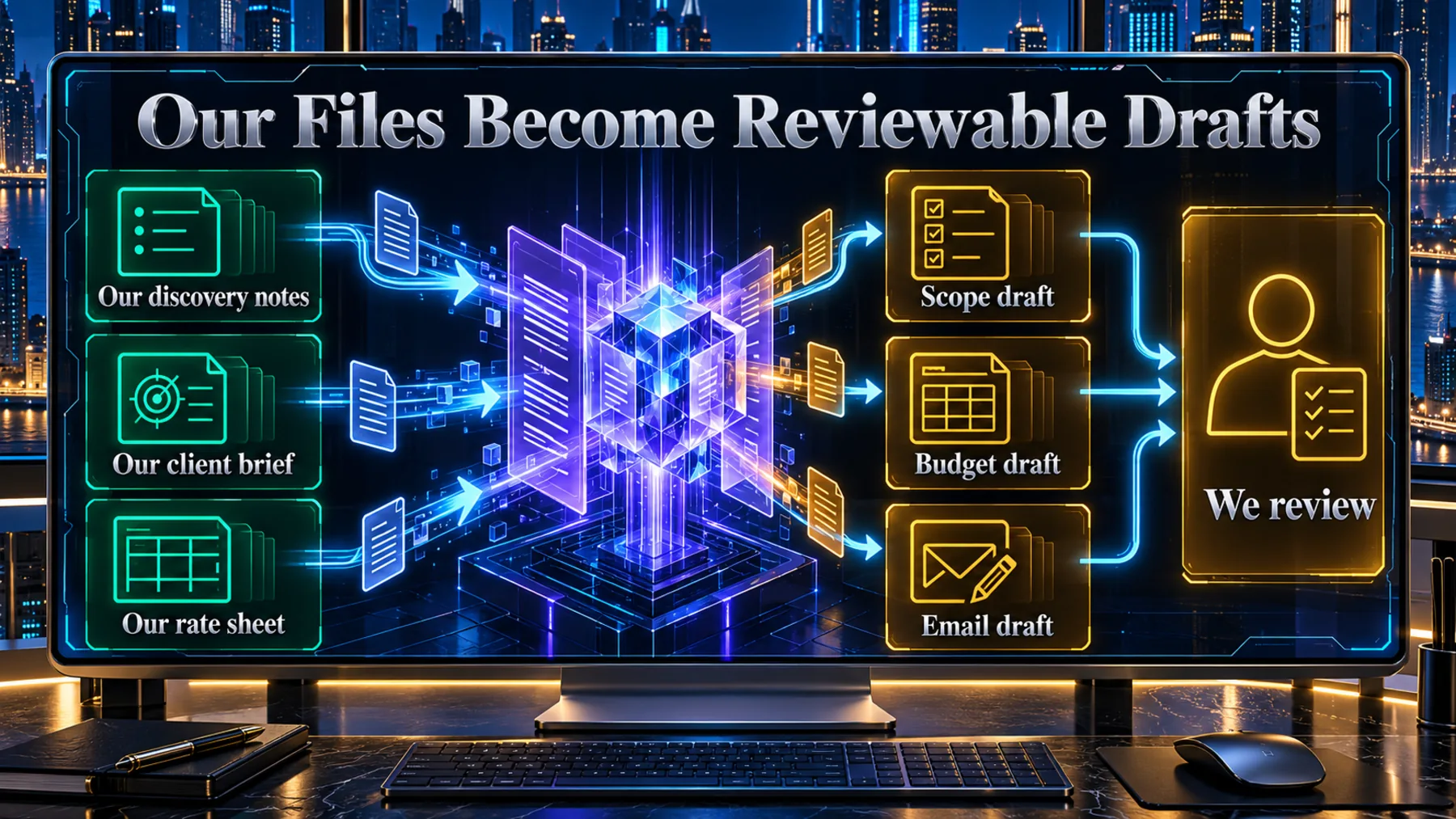
The useful output is a proposal, a budget and a prepared email—not another conversation about the documents.
We give Computer access to the discovery notes, client brief and rate sheet needed for the job. From those inputs, it can draft the scope, build a budget in Excel and prepare a cover email in Outlook for review. The work reaches the point where we can check the proposal and its numbers before anything goes to the client.
That is the [proposal workflow Perplexity describes](https://www.perplexity.ai/hub/blog/perplexity-computer-now-runs-fully-local-on-mac). Where the task begins matters: fully local mode starts on our Mac, while Hybrid Compute begins in the cloud.
Two modes, different starting points
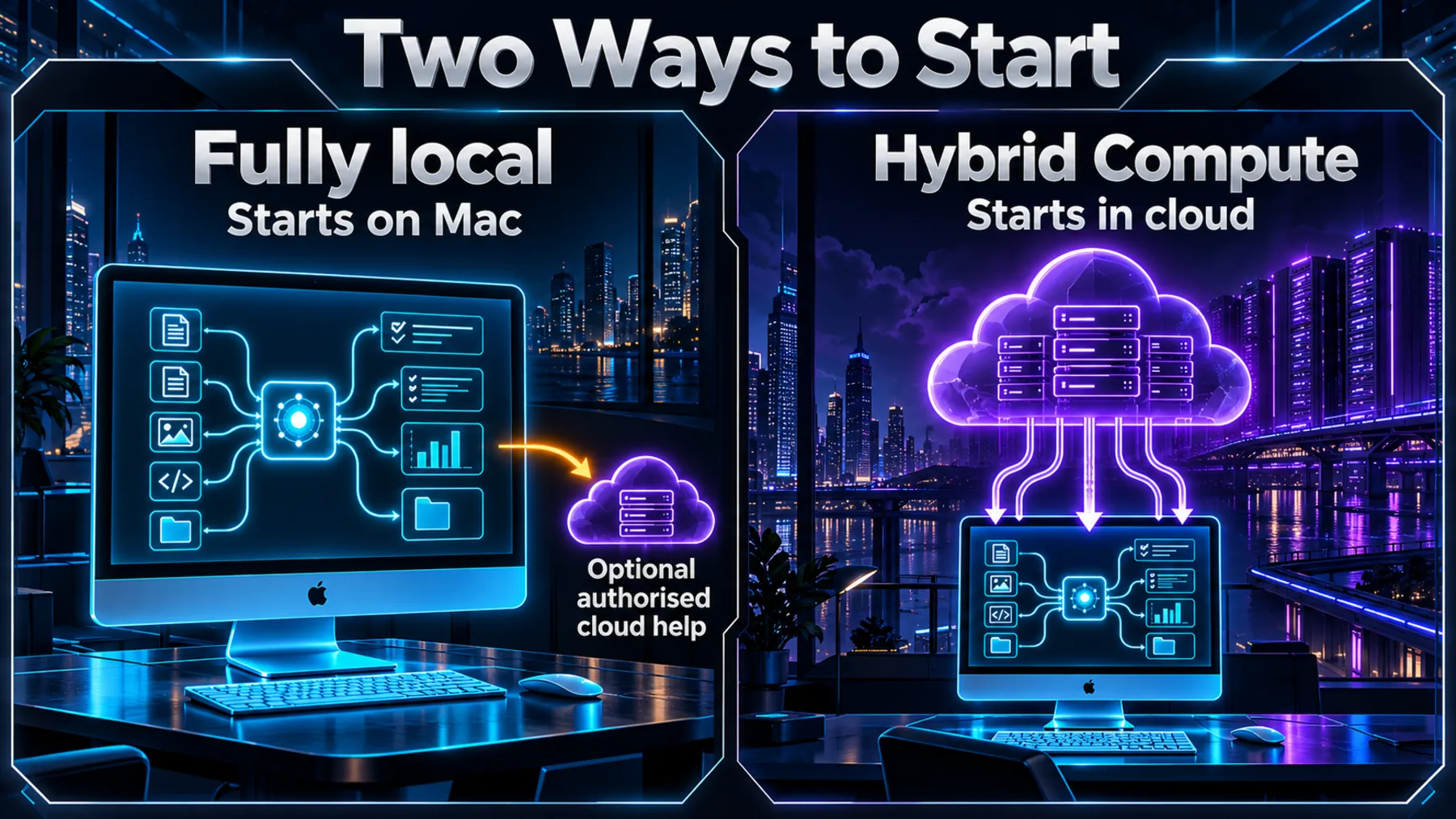
Fully local begins on the Mac. Hybrid Compute begins in the cloud and coordinates local work.
In fully local mode, Computer keeps the task's planning, reasoning and file processing on the Mac. Hybrid Compute starts in the cloud, coordinating research and reasoning with local processing of private files. These are the [two execution modes](https://www.perplexity.ai/hub/blog/perplexity-computer-now-runs-fully-local-on-mac) in the Perplexity Mac app.
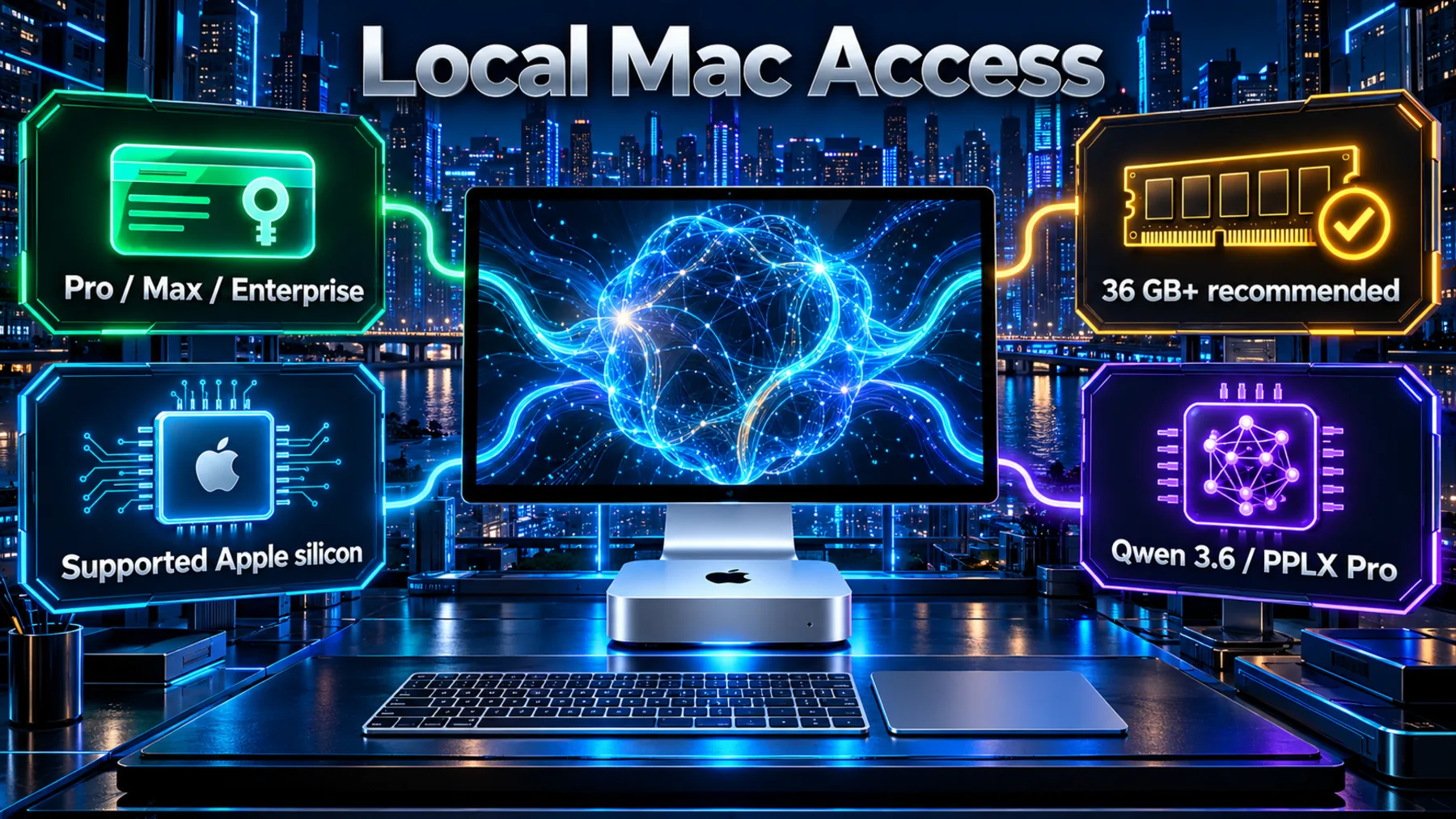
Local execution uses Qwen 3.6 or PPLX Pro, a post-trained version of Qwen. Optional cloud escalation is separate: with our authorisation, the local orchestrator can call on one of 15+ frontier models for advanced reasoning.
Local Computer is available to Perplexity Pro, Max and Enterprise subscribers on supported Apple silicon Macs. Perplexity recommends 36 GB or more of memory; that is a recommendation, not a universal minimum. The [availability and setup details](https://www.perplexity.ai/hub/blog/perplexity-computer-now-runs-fully-local-on-mac) also confirm the two launch model options.
The cloud is a route we authorise
A task can stay on the Mac from planning to output, with a separate path for work that needs cloud help.
A proposal built from files already on our Mac has a different information requirement from a job needing current research or a connected service. Fully local execution gives the first job a local starting point. If we need current information, browser use or connected apps, we can authorise cloud escalation.
The [announcement's mode and escalation passages](https://www.perplexity.ai/hub/blog/perplexity-computer-now-runs-fully-local-on-mac) spell out that boundary. Local execution covers the task itself; it does not mean every connected action is offline.
With both the model and agent running locally, sensitive work can stay on the Mac through every stage of a task, from planning and analysis to the finished output.
Perplexity · [Mac announcement](https://www.perplexity.ai/hub/blog/perplexity-computer-now-runs-fully-local-on-mac) · paragraph 16
Perplexity puts the Mac at the centre
The announcement pairs its local-execution release with Mac mini artwork.
Perplexity's announcement artwork shows a Mac mini against a planetary backdrop. The accompanying [release](https://www.perplexity.ai/hub/blog/perplexity-computer-now-runs-fully-local-on-mac) brings the model and task execution onto supported Macs; the image is announcement artwork, rather than a demonstration of the proposal workflow.

Local planning leads to local action
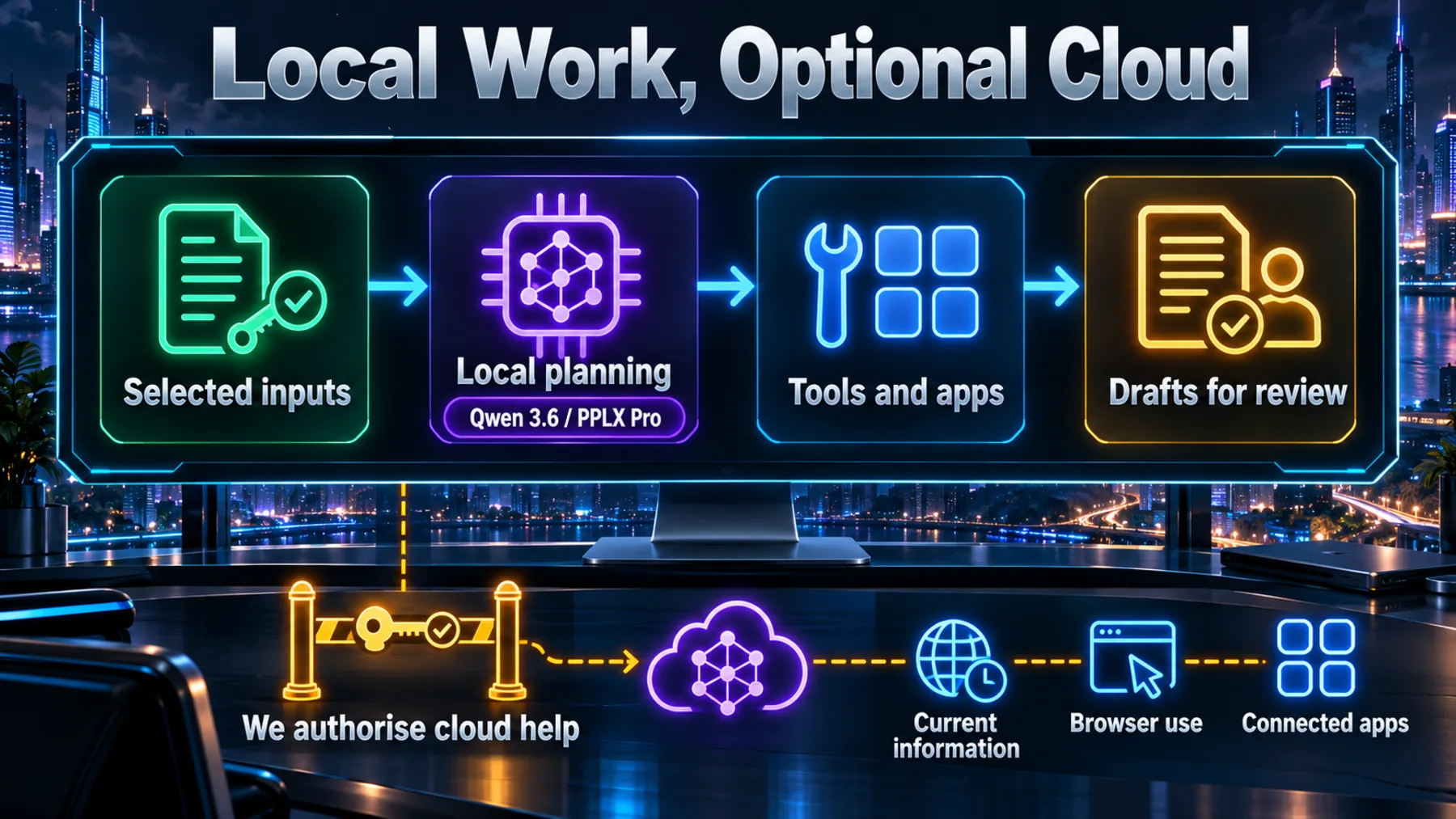
The model plans the job, tools work with permitted files and supported apps, and we review the drafts.
The local path starts with the files and app access we permit. Qwen 3.6 or PPLX Pro runs on the Mac, plans the task and uses tools to carry out the work. Supported apps include Notes, Messages, Mail and Numbers. In the proposal example, the outputs include an Excel budget and an Outlook email draft.
Code and tools run in isolated sandbox environments with controlled access to files and connected apps. Cloud help forms a separate branch for current information, browser use and connected services, authorised by us. The [execution, permissions and sandbox passages](https://www.perplexity.ai/hub/blog/perplexity-computer-now-runs-fully-local-on-mac) describe those parts of the workflow.
Our first task starts with setup
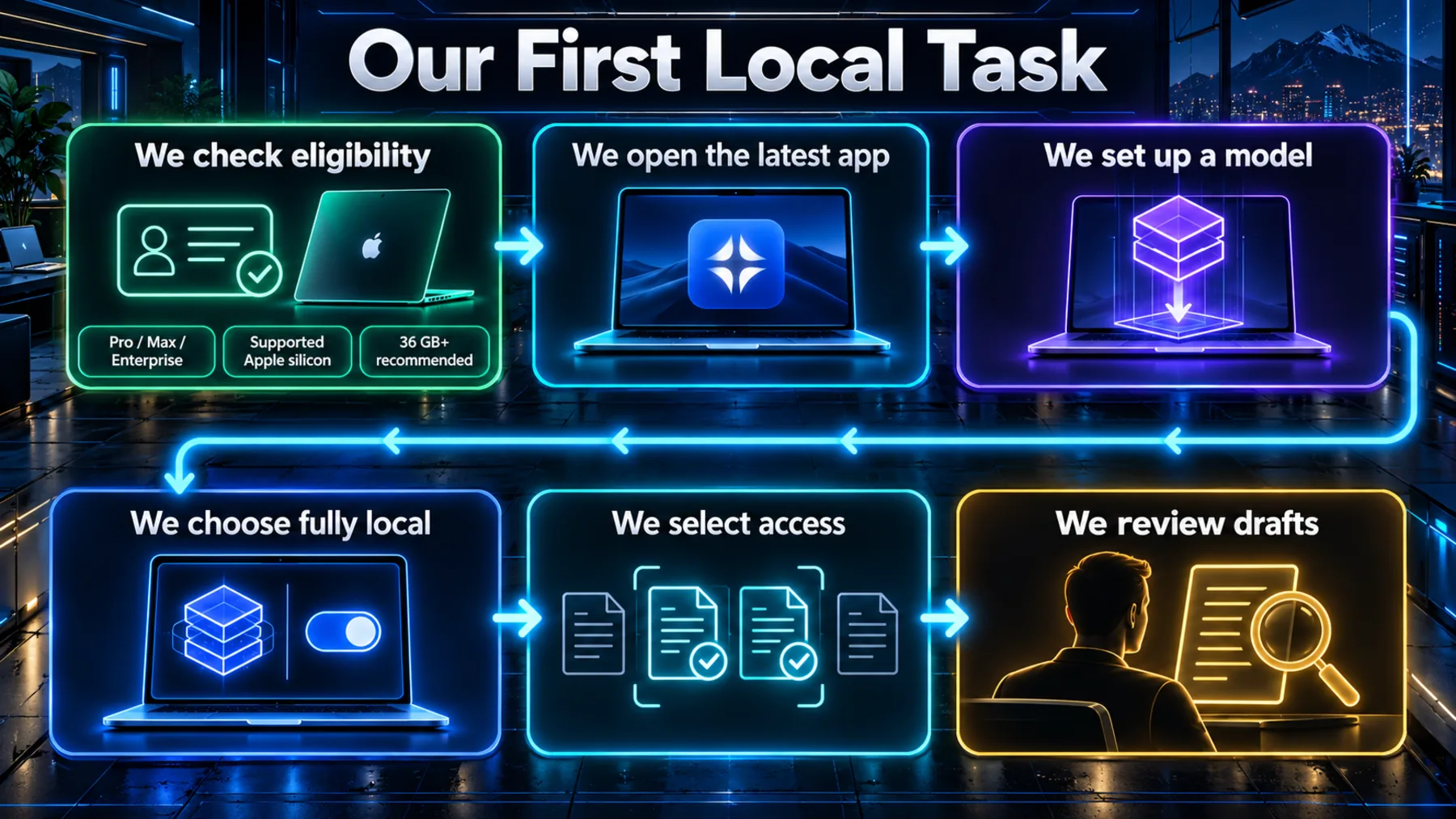
We check access and hardware, set up a local model, then choose fully local.
We first confirm our Pro, Max or Enterprise subscription and that our Apple silicon Mac is supported, keeping the 36 GB-or-more memory recommendation in mind. We then download and open the latest Perplexity Mac app, follow its instructions to download and set up a local model, and choose fully local. These are the [published starting steps](https://www.perplexity.ai/hub/blog/perplexity-computer-now-runs-fully-local-on-mac).
For the proposal task, we select the relevant discovery notes, brief and rate sheet, and grant access to what the job needs. We keep the requested outputs as drafts: a scope to check, a budget to reconcile against our rates and a cover email to review before sending.
We can keep the task local
Private inputs can become finished drafts on the Mac, while we choose whether cloud help is needed.
The shift is from giving an agent access to local files to running the agent's work locally. For our proposal, that means the notes, planning and draft preparation can stay on the same Mac. Cloud assistance remains an option we authorise for a specific need.
The prompt below turns the [proposal example](https://www.perplexity.ai/hub/blog/perplexity-computer-now-runs-fully-local-on-mac) into a bounded drafting task. We select the permitted inputs and ask for work we can review. The app's mode and permissions remain the controls; prompt wording does not replace them.
We can keep the work with our files, then choose when it needs help beyond the Mac.
Altior's takeaway from [Perplexity's local execution, cloud escalation and proposal examples](https://www.perplexity.ai/hub/blog/perplexity-computer-now-runs-fully-local-on-mac).
Turn our local project files into a proposal
Work in fully local mode in Perplexity Computer on this Mac. Prepare a client proposal using only the discovery notes, client brief and internal rate sheet we explicitly select and permit for this task. If these inputs have not been selected, ask us to select them before proceeding; do not search other folders or apps. Read the permitted inputs and draft a proposal covering the client's stated objective, scope, deliverables, dependencies and exclusions. Build a draft budget in Excel using only the supplied rates and quantities. Show the calculations, separate confirmed amounts from estimates, and flag missing quantities, conflicting instructions or unclear rates rather than inventing them. Prepare a cover email in Outlook for our review, without sending it. If an app or output format is unavailable locally, explain the limitation and provide the draft content locally instead. Keep this task local. Do not browse, retrieve current information, use cloud models or access connected services without first explaining the specific need, what information would leave the Mac and which service would receive it, then obtaining our explicit authorisation. If cloud help would be needed, pause that part and continue only with work possible from the permitted local inputs. Present the proposal, budget and unsent email together for our review. Include the local input filenames used, unresolved questions and any assumptions requiring our decision. Do not send messages, contact the client, overwrite source files or commit us to prices or delivery dates.Ready to copy
Start with one local proposal
The point to remember is whole-task local execution, with cloud help as a separate, authorised route. Our hardware, model setup and permissions determine how we begin.
Our next step: use the proposal prompt above with one selected set of project files, then review the drafts before anything leaves our hands.
Try the promptWhat we keep in view
- Our access: Pro, Max or Enterprise, on a supported Apple silicon Mac.
- Our setup: a downloaded local model, with 36 GB or more of memory recommended.
- Our permissions: the files and supported apps we allow Computer to use.
- Our boundary: fully local execution, with explicit authorisation for cloud help.
- Our review: check the scope, budget and unsent cover email.