Claude moves connector access upstream
Anthropic says approved MCP connectors can be ready in Claude without a separate consent screen for each eligible person.
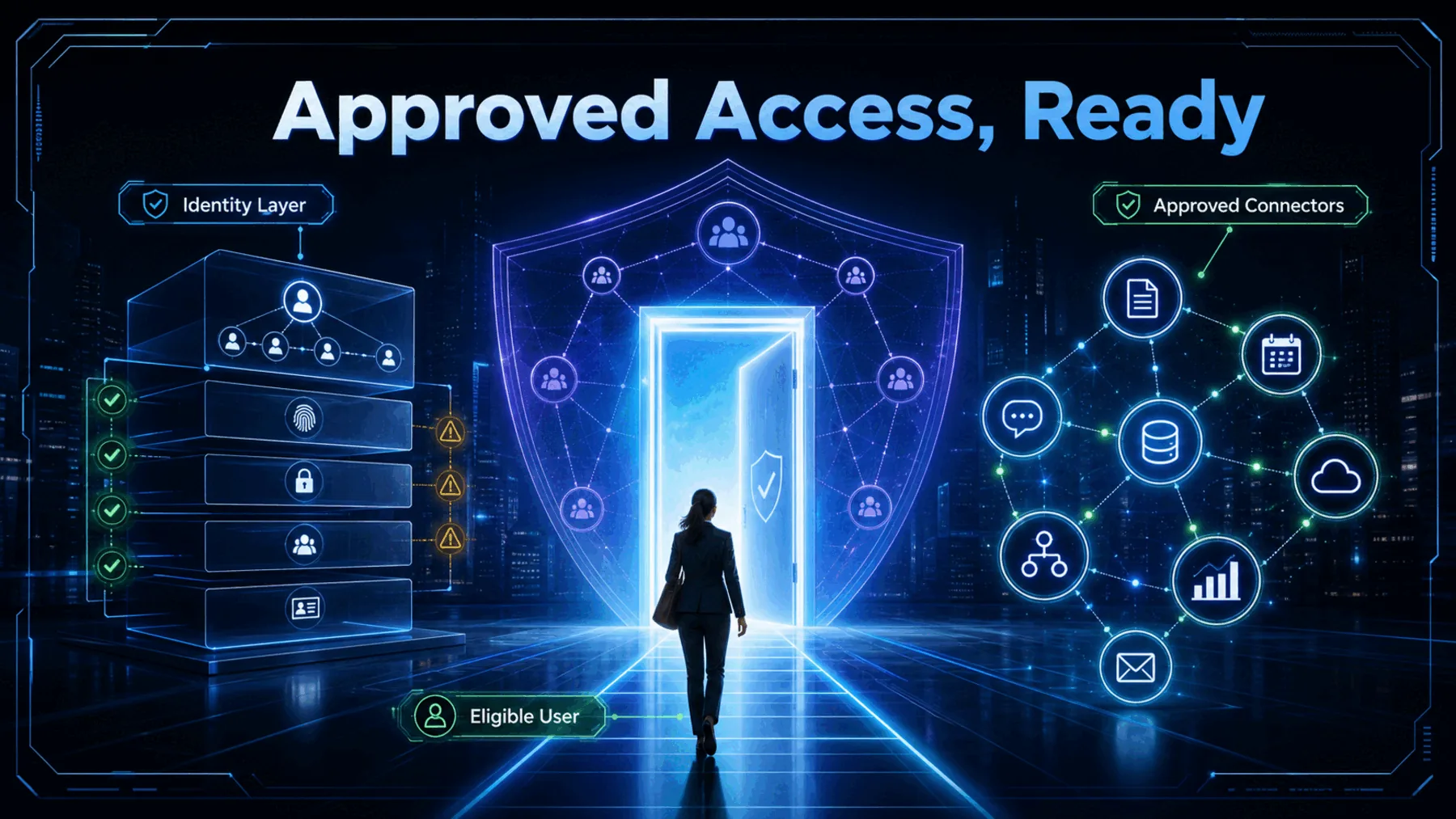
What if ten workplace tools appeared in Claude without ten separate OAuth screens? That is the promise behind Anthropic’s enterprise-managed authorisation for MCP connectors.
For eligible Team and Enterprise users, the visible change is simple. The work that makes it possible sits with the administrator, the identity system and the connector.
The permission screen moves upstream
The consent step has not vanished; Anthropic says it is handled centrally before access reaches Claude.
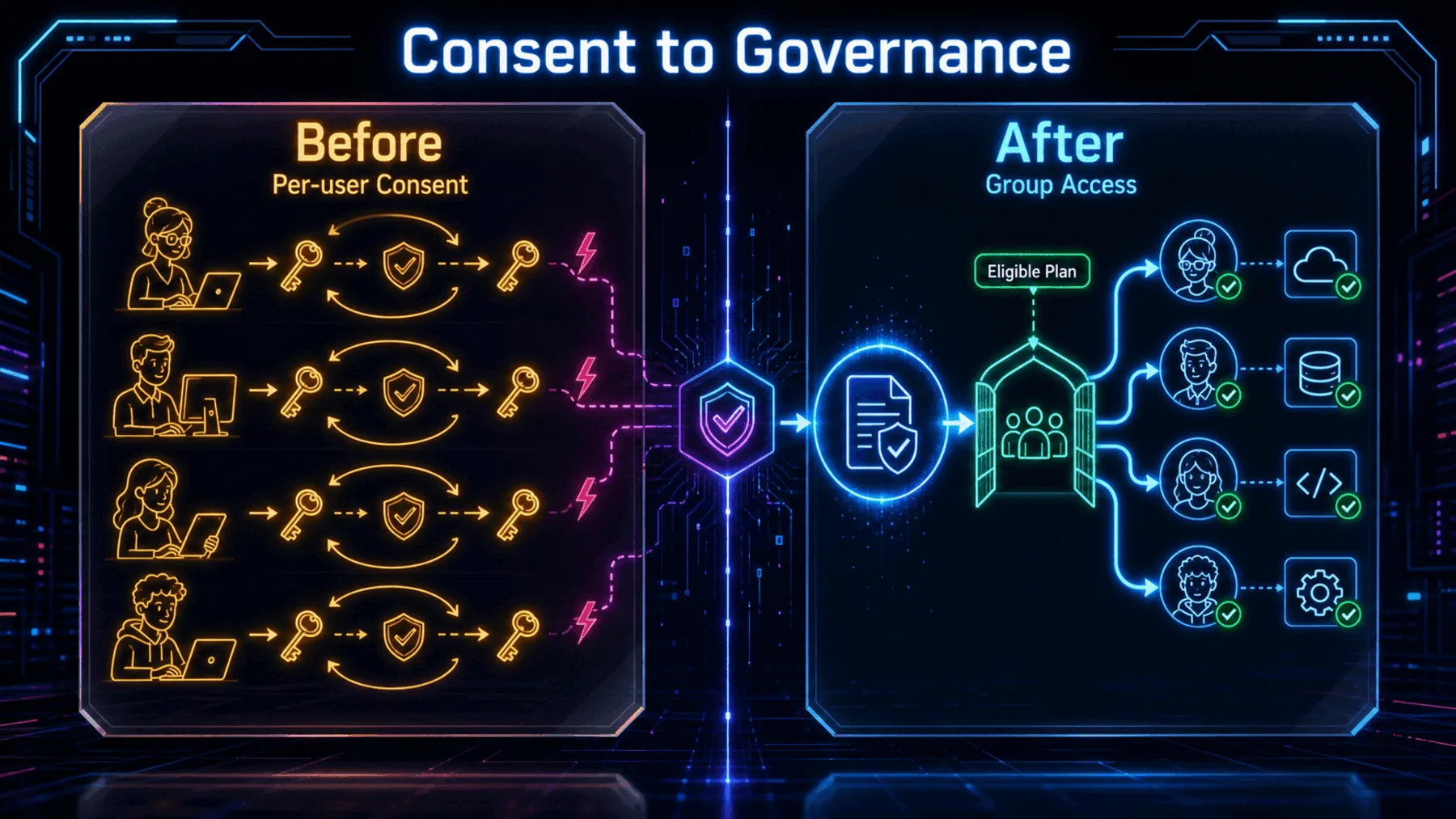
The old pattern asks each person to connect a tool and grant access in turn. The new pattern puts the decision where enterprise access decisions already live: in the company’s login and identity system.
That can reduce setup friction without making access universal. Eligibility still follows the groups, roles and connector conditions the organisation has put in place.
What has to line up
The easy first use depends on a narrow set of documented requirements.
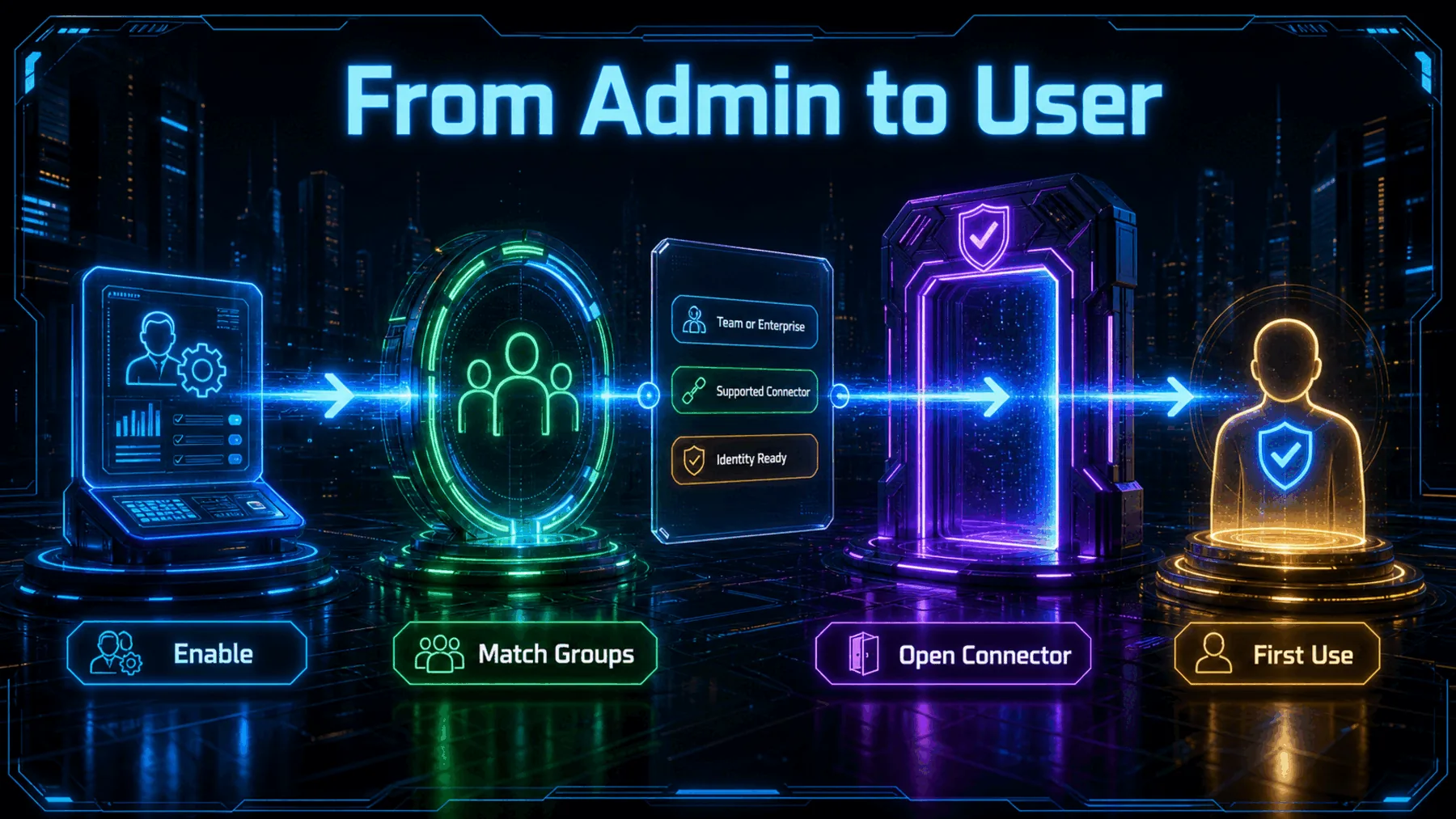
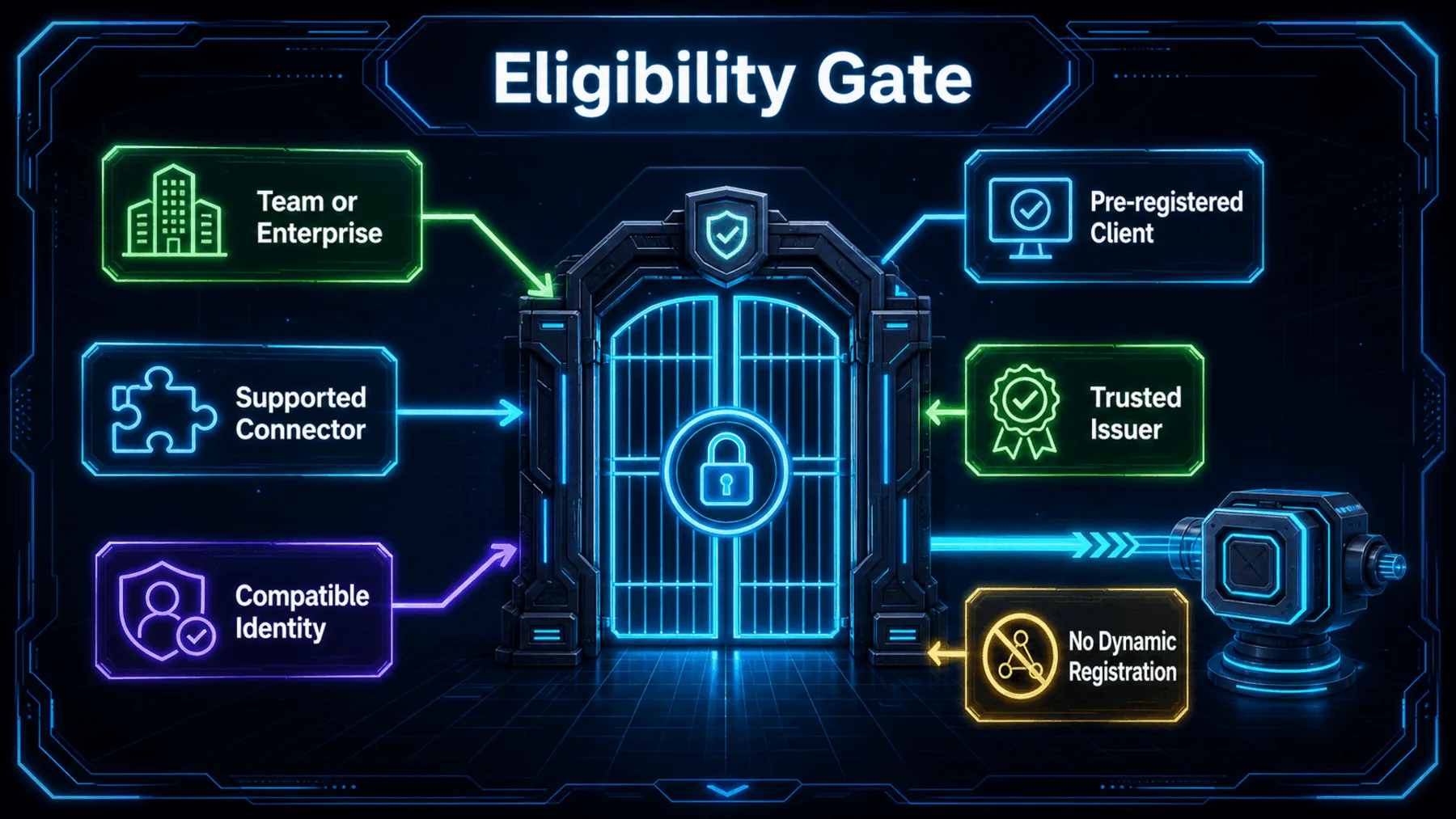
Anthropic’s documentation describes a standards-based arrangement, not an open door. The connector must support the approach, the enterprise identity system must be accepted, and the client must already be registered.
One firm boundary is explicit: Dynamic Client Registration is not supported with Enterprise Managed Auth. The simplified experience begins only after those conditions are met.
Anthropic’s zero-touch claim
Anthropic says central authorisation can make approved connectors available from the first time an eligible person opens Claude.

The claim is specific. Anthropic says the result is zero-touch connector setup for the end user, not zero authorisation.
The distinction matters. Central control is the mechanism that removes the repeated consent screen from the everyday experience.
“For users, tools and data are connected automatically, without the need for individual OAuth.”
ClaudeDevs / Anthropic
The proof has boundaries
The published promise applies to eligible Team and Enterprise users, supported connectors and documented implementation conditions.
Anthropic’s evidence is useful because it names the trade-off. We avoid a separate consent step only when enterprise identity is able to make and support the access decision upstream.
That is not a claim that every connector, identity platform or employee is automatically covered. Those boundaries remain part of the rollout.
“Dynamic Client Registration (DCR) is not supported with Enterprise Managed Auth.”
Claude by Anthropic documentation
Identity does the hand-off
A signed enterprise identity assertion is checked before the connector returns access and Claude retries the request.
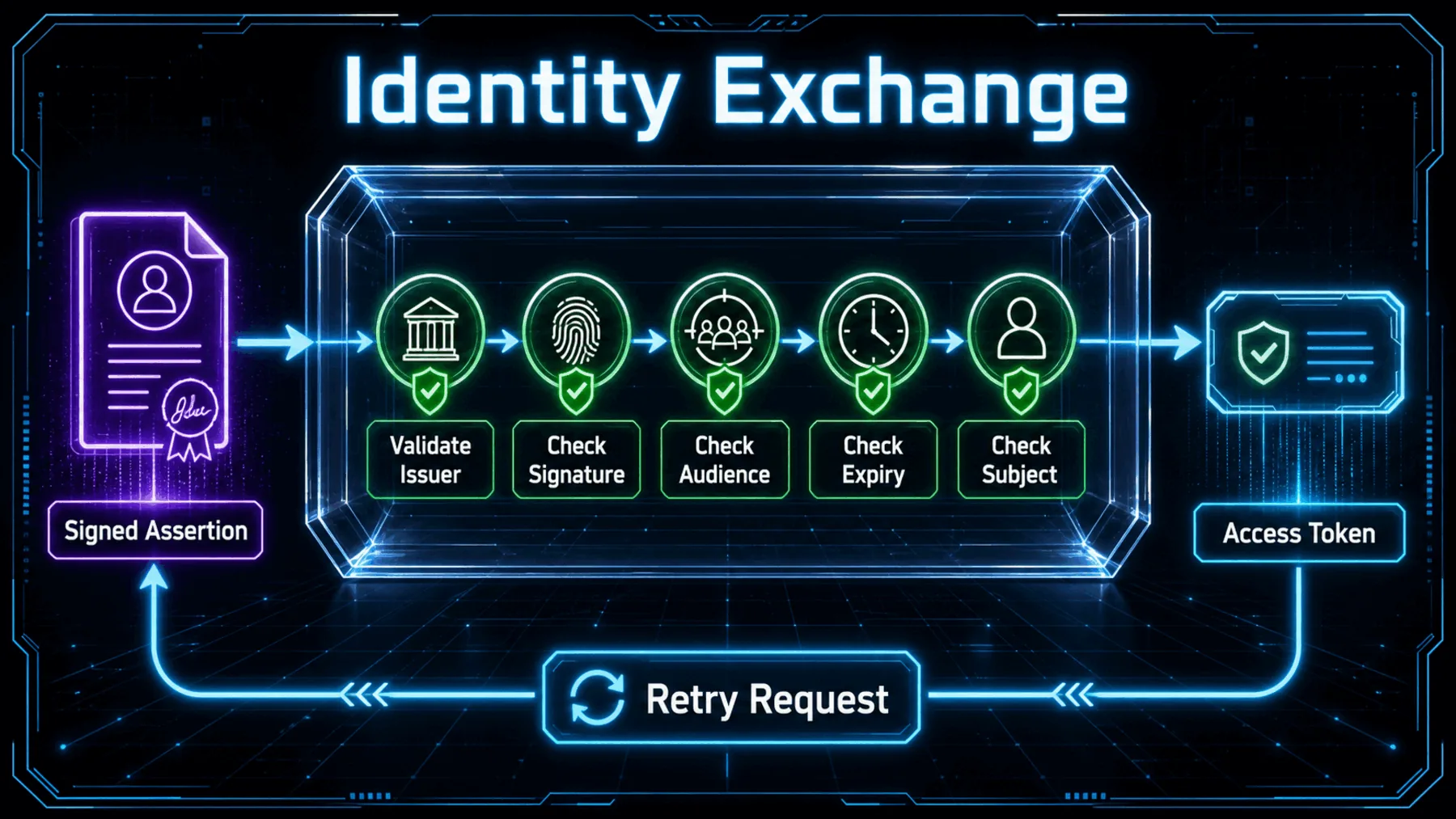
The first click can feel immediate because the exchange is hidden, not because authorisation has been skipped. The enterprise identity system supplies a signed assertion, and the connector checks it before returning access.
In practice, that means validating the issuer, signature, audience, expiry and subject before the request can continue. The smooth surface depends on those checks holding.
Issuer
Confirm the assertion came from a trusted identity source.
Assertion
Validate the signature, audience and expiry.
Subject
Match the identity to the access decision.
What we actually experience
We see a ready connector only after the administrator, identity system and connector have done their respective jobs.
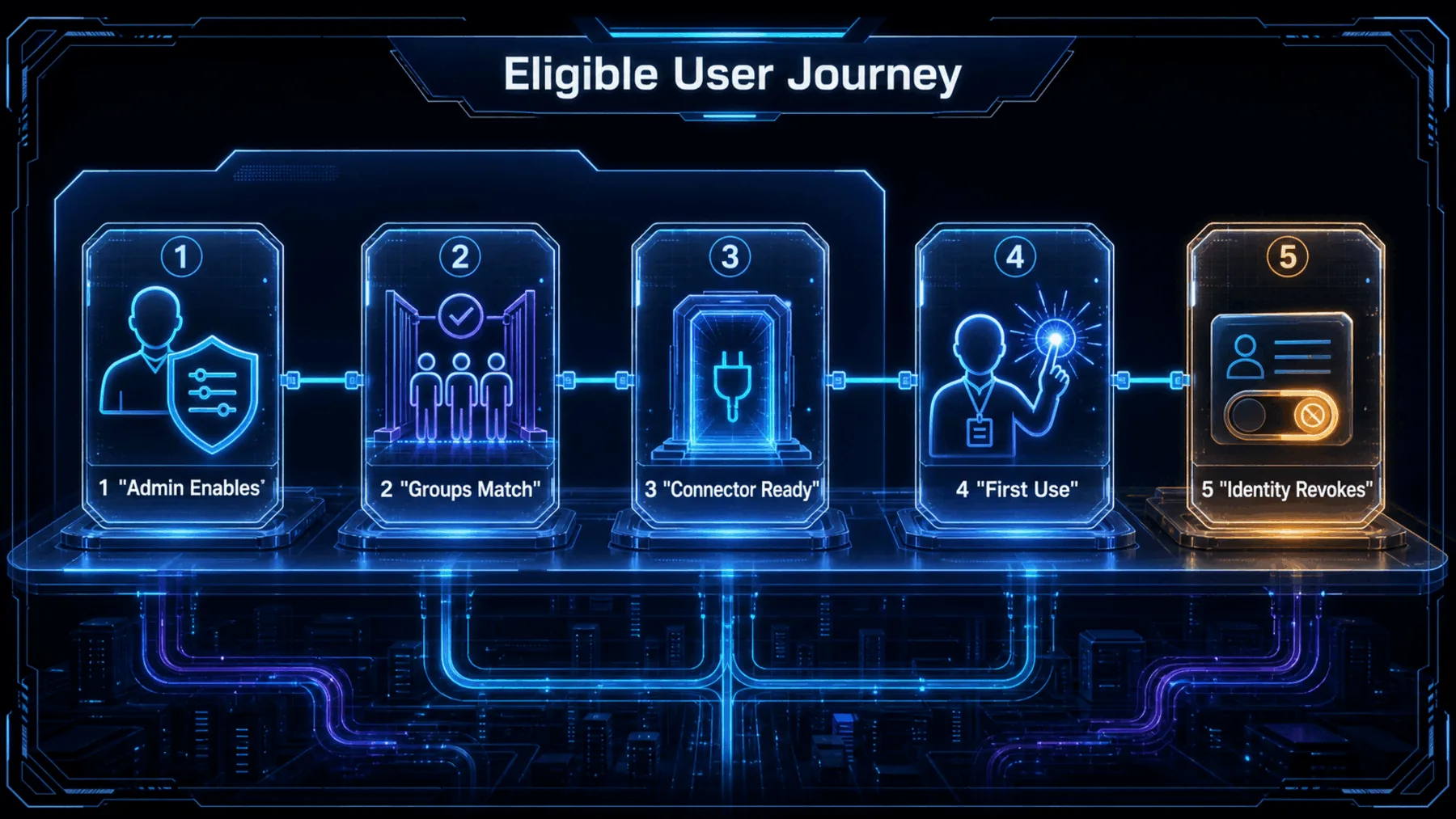
Enablement
An administrator authorises the connector centrally.
Eligibility
Existing groups and roles determine who inherits access.
Support
The connector and identity setup must meet Anthropic’s conditions.
For us, the visible journey is short: open Claude, find an approved connector and begin. The longer journey happened before that moment, in the access rules that make us eligible.
That distinction gives administrators a clearer control point. Revocation and eligibility remain tied to the identity system rather than to a scattered set of individual consent decisions.
Zero-touch is not rule-free
Anthropic’s release moves authorisation into enterprise controls; it does not remove the controls themselves.
Zero-touch is the experience at the surface. Upstream authorisation is the work that earns it.
Anthropic’s published blog and connector documentation
The release is more useful than a launch note because it changes where access is managed. Instead of asking each person to repeat the same consent process, the organisation can make the governing decision once and apply it through existing identity rules.
The stronger reading is also the cautious one: less visible friction is possible only where the connector, plan and identity conditions are already in place.
Test your connector rollout assumptions
Act as an enterprise platform lead preparing an Anthropic Claude Team or Enterprise connector rollout. Create a five-row decision table covering plan eligibility, connector support, identity-system compatibility, client pre-registration, and identity-assertion validation. For each row, state the evidence to collect, the owner, and the consequence if it is unresolved. End with a short go/no-go recommendation.Ready to copy
Check the rules first
Confirm plan eligibility, connector support, identity compatibility, client registration and validation requirements before treating zero-touch as a rollout outcome.
Try the promptWhat to monitor
- Plan eligibility
- Connector support
- Identity compatibility
- Registration and validation